Here are the main things to remember when picking an AI video generator in 2026. These points will help you decide which tool is best for your projects.
Key Takeaways
- Happy Horse 1.0 is currently the top choice for realistic video quality and speed.
- OpenAI’s Sora and Google’s Veo remain powerful options for creative video projects.
- New tools offer advanced features like 8K resolution and spatial audio.
- Many generators now support combining text, images, and sketches for better control.
- Consider your specific needs, budget, and desired output when choosing a tool.
1. Happy Horse 1.0
Okay, so let’s talk about Happy Horse 1.0. This one really shook things up back in April 2026, even knocking giants like Sora and Veo down a peg. What’s the big deal? Well, it seems to have figured out that pesky "hallucination" problem that made earlier AI videos look a bit wonky. They’ve got this special "Neural Simulation" thing going on that actually calculates how objects should behave before it even starts making the video. It’s like it understands weight and mass, which is pretty wild.
Instead of just guessing what the next frame should look like, Happy Horse 1.0 actually simulates the whole scene. So, if someone drops a glass, it shatters like a real glass would, not just some weird digital blob. This attention to detail is why a lot of visual effects folks are really digging it. It’s not just about looking pretty; it’s about looking right. You can even tweak physics settings, like gravity, to get just the right feel for your scene.
Here’s a quick look at what makes it stand out:
- Advanced Physics Engine: Realistic object interaction and movement.
- Hyper-Realism: Achieves a level of visual fidelity that’s hard to beat.
- 8K Resolution / 120fps: Top-tier output quality for crisp visuals.
- "One-Click Professional" Mode: Makes it surprisingly easy for beginners.
It’s not all sunshine and rainbows, though. The web app can get pricey, costing around $0.80 per second, and it’s mostly for shorter clips, like 5 or 10 seconds. Still, for the quality it offers, especially the motion, it’s a pretty impressive step up from a lot of other options out there. It’s definitely a tool worth checking out if you need that extra bit of realism in your AI-generated videos. You can find out more about its capabilities on its dedicated page.
The way Happy Horse 1.0 handles motion and object interaction feels like a genuine leap forward. It’s less about predicting pixels and more about simulating reality, which is a game-changer for anyone needing precise visual effects.
2. Openai Sora
OpenAI’s Sora has really made waves, and for good reason. It’s not just another text-to-video tool; it’s designed to understand and generate scenes with a sense of depth and realism that feels quite advanced. It’s particularly good at creating cinematic narratives, which means if you’re aiming for something that looks like it could be part of a movie, Sora is definitely worth a look.
While it might not be the absolute top performer in every single metric anymore, especially with newer models focusing on hyper-realism, Sora still holds its own. It’s great for generating longer shots and maintaining character consistency, which is a big deal when you’re trying to tell a story. You can even use images to guide the video generation, which is a neat trick.
Here’s a quick look at what it offers:
- Cinematic Narrative Focus: Excels at creating visually compelling stories.
- Character Consistency: Keeps characters looking the same across different shots.
- Image-to-Video Generation: Allows you to use still images as a starting point.
- Extended Shot Lengths: Capable of producing longer video clips.
It’s important to note that while Sora is powerful, its availability has changed. The web and app experiences are no longer available, and the API will also be discontinued soon. So, if you’re planning to use it, make sure you’re aware of the timeline for Sora.
Sora is positioned as a frontier research output, meaning it’s great for exploring creative possibilities and testing concepts. It’s less of a production pipeline tool for things like ad delivery where you need strict guarantees. Think of it as a powerful brainstorming partner for filmmakers and designers.
3. Google Veo
Google Veo has really carved out a solid space for itself, especially if you’re looking for top-notch visual quality without necessarily breaking the bank. It’s part of Google’s bigger AI push, and you can access it through their Gemini Enterprise Agent Platform’s Media Studio or even the Gemini API. This makes it pretty flexible for different workflows.
What really stands out is its ability to generate realistic videos, up to 8 seconds long, in resolutions as high as 4K. The realism is quite something; think accurate light and reflections that make scenes feel immersive. It’s not perfect, mind you. Some folks mention that character models and water physics could use a bit more polish, but honestly, for many use cases, it’s already delivering some of the most polished realistic shots out there.
One of the coolest things about Veo, especially if you’re trying to keep costs down, is its free tier via Google AI Studio. It’s not limited by credits that just disappear; instead, it’s rate-limited. This means you can keep generating clips as long as you don’t go over a certain speed, which is actually super useful for social media content or just experimenting. The output from this free tier is also watermark-free and comes in at 1080p, which is pretty generous. The built-in audio generation is a big plus too – it can add ambient sounds that actually match the visuals, saving you editing time.
While Veo doesn’t offer the full editing suite or avatars found in other platforms, its core strength lies in being a powerful generation engine. You type your prompt, get a high-quality clip, and then take it wherever you need to finish the job.
It’s a great option if your main goal is just getting the best possible raw footage from your prompts. For those who need more advanced features or a complete production pipeline, you might look at other tools, but for pure generative video quality, especially for free, Google Veo is definitely worth checking out.
4. Kling Ai
Kling AI is definitely one to watch, especially if you’re looking for really natural human movements in your videos. I was pretty impressed with how it handled things like hand gestures and body physics – stuff that a lot of other AI generators still struggle with. It’s developed by Kuaishou, and while it’s great for creators who want to experiment with generative cinematography without breaking the bank, there’s a bit of a catch for bigger companies.
The free tier is quite generous, offering a decent amount of generation time each month, which is awesome for trying things out. However, if you’re working on client projects or need commercial rights, you’ll have to look at their paid plans. One thing to keep in mind, and it’s a big one for some businesses, is that Kling AI is developed in China. This has led to some concerns about data ownership, making it a less ideal choice for enterprise-level work or projects with strict data privacy requirements. Customer support has also been mentioned as an area that could use improvement, with some users reporting slow response times.
Here’s a quick look at what Kling AI brings to the table:
- Realistic Human Motion: Excels at generating natural-looking character movements, from walking to more complex actions.
- Storytelling Alignment: Models like Kling 01 are noted for their technical precision, including accurate reflections and motion blur, which filmmakers appreciate.
- Affordable Experimentation: The credit-based pricing makes it accessible for individual creators to test out ideas before committing to larger productions.
It’s a solid option for indie filmmakers and artists focusing on character-driven scenes, but it’s worth weighing the data ownership and support aspects if you’re in a corporate setting. You can explore some of its capabilities on Kling AI’s official page.
5. Runway Gen 4.5
Runway’s Gen 4.5 is a pretty big deal in the AI video world, seriously pushing the boundaries of what we thought was possible. It’s all about giving creators more control and getting closer to that cinematic look straight from a prompt. The motion quality here is top-notch, meaning the videos you generate actually stick to what you asked for, looking sharp and detailed.
This version really shines when it comes to advanced features. Think about animating specific parts of an image with their multi-motion brush, or getting precise camera movements like pans and zooms that feel natural, not jerky. It’s a tool that filmmakers and VFX folks have been keeping an eye on for a while now.
Here’s a quick look at what makes it stand out:
- Advanced Camera Controls: Mimics real-world camera movements with accuracy.
- Motion Brushes: Allows for targeted animation within a static image.
- High Visual Fidelity: Generates clips that are sharp, detailed, and follow prompts closely.
- Iterative Model Releases: Runway consistently updates its models, focusing on creator feedback.
While the free tier is quite limited, offering just a handful of credits that don’t refresh, the paid plans are where you can really explore what Gen 4.5 can do. It’s definitely a platform that sets a high bar for motion quality in AI video generation.
Runway’s approach seems to be about integrating AI generation into a broader creative toolkit, rather than just being a standalone generator. This makes it a powerful option for professionals who need to blend AI-generated elements with existing footage or complex post-production workflows. The platform supports 1080p output with 4k upscaling, and generates video at a standard 24fps, offering flexibility for various projects.
6. Veed.Io
Veed.io is a pretty interesting option if you’re looking for a tool that works right in your browser. It’s got this free plan that lets you get started without downloading anything, which is a nice touch. You can pick from different styles or tweak the text to make it your own.
It’s especially good for quick edits and social media content. While it might not have all the bells and whistles of some of the more complex AI video generators out there, Veed.io makes up for it with its straightforward approach. It’s a solid choice for marketing teams who need to pull assets from Google Drive and turn them into promotional videos automatically.
Here’s a quick look at what you get:
- Browser-based editing
- Style selection and text customization
- Integration with Google Drive for assets
- Good for social media and marketing clips
When it comes to pricing, Veed.io starts around $19 a month. However, it’s worth looking closely at what’s included, especially regarding watermark removal and which AI features are available at different subscription levels. If you need really accurate transcriptions, you’ll want to check the details for each tier carefully. Check out their pricing.
Veed.io aims to simplify video creation for everyday users and marketing professionals alike. Its accessibility through a web browser and a focus on practical features make it a go-to for many looking to produce content without a steep learning curve.
7. Heygen
Heygen has really made a name for itself, especially with its focus on AI avatars and quick video creation. It’s one of those tools that feels pretty accessible, even if you’re not a video pro. You can generate realistic videos with avatars in a bunch of different languages, which is pretty neat. They’ve got some serious backing, so they’re constantly improving, making it a strong contender in the AI video space.
What’s cool is how they handle things like lip-syncing for translated audio and even let you capture an avatar from a short webcam clip. This means someone in sales could, say, clone their CEO once and then use that avatar for different regional launch videos without a fuss. It’s a big time-saver for businesses.
Here’s a quick look at what they offer:
- AI Avatars: A huge library of stock avatars, plus the ability to create AI photo avatars.
- Multilingual Support: Over 175 languages with accurate voice cloning and lip-sync.
- Video Agent: Automates video creation from a single prompt, even pulling in AI-generated B-roll.
- SCORM Export: For those in learning and development, this is a big deal for getting training content into LMS systems.
Heygen’s free plan is surprisingly robust. It gives you access to the full AI avatar generator, letting you test out spokesperson videos and a good chunk of their features without paying a dime. It’s a great way to see if it fits your needs before committing.
While the avatar realism is getting better, it can still look a bit synthetic sometimes. Also, the pricing model is per-seat, so it can add up if you need a lot of output. Still, for creating presenter-led content or quick marketing clips, Heygen is definitely worth checking out, especially if you’re looking for a tool that’s easy to use and has a solid free plan option.
8. Invideo Ai
InVideo AI takes a slightly different path compared to other AI video tools. Instead of generating entirely new visuals from scratch, it’s more about assembling polished videos using a massive library of stock clips, AI-generated voiceovers, and smart editing that follows your text prompts. This approach is pretty neat for marketing teams who need quick, professional-looking explainers or social media clips without the hassle of traditional production.
When I tried it out, I gave it a prompt like "coffee shop morning rush, steam rising from cups, slow motion," and InVideo AI went to work. It found suitable stock footage, added some background music, created a voiceover, and put it all together into an edited video. It’s a solid way to get content out fast.
Here’s a quick look at what you can expect:
- Vast Stock Library: Access to over 16 million stock clips.
- AI Voiceovers: Generate narration in various voices.
- Automated Editing: Videos are pieced together based on your text input.
- Template Variety: Over 5,000 templates are available to get you started.
For those looking for a tool that can quickly turn text into a presentable video using existing assets, InVideo AI is a strong contender. It’s particularly good for creating marketing materials efficiently. The pricing plans can vary quite a bit, with options ranging from around $25 to over $900 monthly, so it’s worth checking out the different pricing tiers to find what fits your budget. They also offer a free tier that gives you about 10 AI minutes per week, which is a decent amount to experiment with.
9. Capcut
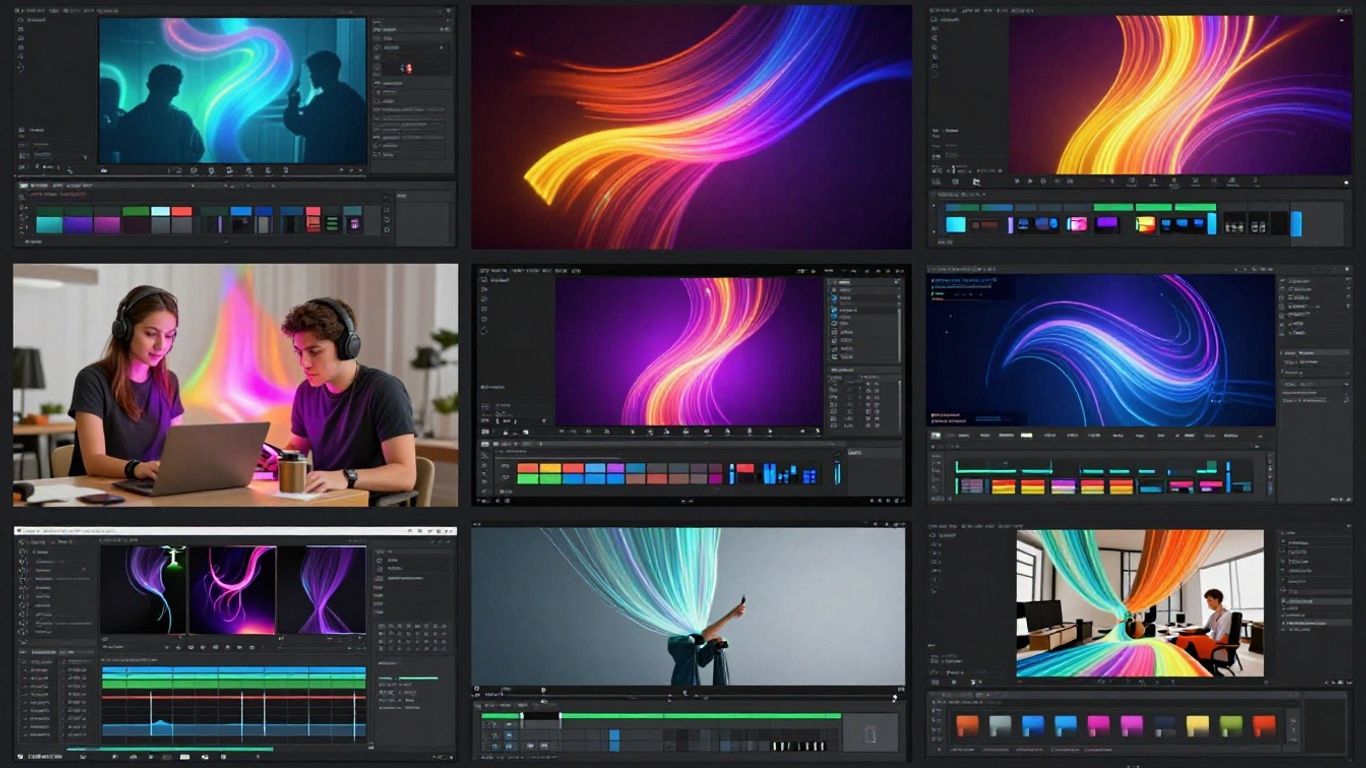
CapCut has really made a name for itself, especially with folks making content for social media. It’s kind of a surprise package because it packs a lot of AI video generation tools right into a full editing suite. You can type in a prompt, like a cozy coffee shop scene in the morning, and CapCut will whip up a clip using its stock footage and some AI transitions. It’s pretty fast, too; I got a usable clip for a social post in about 40 seconds, and I was ready to export in under three minutes. That speed is a big deal when you’re trying to keep up with posting schedules.
One of the best things for creators is that the free version on desktop doesn’t add a watermark to your exports. That’s a huge plus for platforms like TikTok, Instagram Reels, and YouTube Shorts. Plus, the template library is massive and organized by platform, which really cuts down on the time you spend figuring out the right format.
For anyone focused on social media content, CapCut offers a really streamlined workflow. It’s designed to get you from an idea to a finished video quickly, which is exactly what many creators need.
CapCut also has some neat AI features that can help automate parts of your workflow. For example, its auto-captioning works well for English and Mandarin, though it might stumble with heavily accented languages. The subscription plan, which runs about $6.30 to $8.35 a month, gives you more AI credits, removes watermarks, and lets you export in 4K on desktop. It also unlocks more templates and premium AI editing tools. If you’re looking for a tool that integrates AI generation with a robust editing environment, especially for social media, CapCut is definitely worth checking out. You can get started with their AI video generator and see how it fits into your content creation process.
10. Seedance 2.0
ByteDance dropped Seedance 2.0 back in February 2026, and it really made waves. People on places like Reddit were calling it one of the most advanced AI video models out there. What really stands out is the speed. I was able to generate a 10-second clip in about 30 seconds, which is way faster than most other tools I tried that took a minute or two.
This speed is a big deal for anyone who likes to experiment with different prompts. You can test out a bunch of ideas in Seedance in the time it might take to test just a few in other generators. The visual quality is also pretty solid, with fewer glitches and failed generations compared to some competitors. Out of 20 prompts I ran, 17 gave me usable results, which is a much better success rate than some other models.
Seedance 2.0 is a great option for creators who need to quickly test out multiple prompt variations. Its speed and decent output quality make it a strong contender, especially for social media content.
Right now, there’s a free tier available, which is nice. However, based on how other tools have worked, it’s likely that the free limits will get tighter as the year goes on. So, if you plan on using it a lot, it might be worth looking into their paid options once they’re fully rolled out. It’s a good tool for generating raw clips, and you can then take those into an editor like CapCut for further refinement.
Here’s a quick look at what makes Seedance 2.0 tick:
- Speed: Significantly faster generation times compared to many competitors.
- Quality: Consistently good visual output with a lower rate of generation failures.
- Creative Control: Offers good flexibility for prompt iteration.
- Accessibility: A free tier is available, making it easy to try out.
While it doesn’t have all the bells and whistles like built-in editing suites or avatar systems, its core function of fast, quality video generation is impressive. For those focused on rapid content creation and testing ideas, Seedance 2.0 is definitely worth checking out.
Conclusion
So, that’s our look at the top AI video generators for 2026. It’s pretty amazing how far this tech has come, and honestly, it’s only going to get better. Whether you’re a pro filmmaker, a marketer trying to make cool ads, or just someone who likes to experiment, there’s a tool out there for you. Happy Horse 1.0 is leading the pack for pure realism, but Sora and Veo are still super strong contenders, especially for storytelling. Don’t forget about the other great options like Kling, Runway, and Veed for specific needs. The best part? Many of these tools are becoming more accessible, so you can start creating awesome videos without needing a Hollywood budget. Keep experimenting, and see what you can make!
Frequently Asked Questions
What exactly is an AI video generator?
Think of it like a super-smart computer program that can make videos for you. You give it some instructions, like typing out what you want to see or showing it a picture, and it creates a video based on that. It uses artificial intelligence to figure out how to put the images and sounds together.
Who uses these AI video tools?
Lots of people! Businesses use them for making ads or training videos for their employees. Filmmakers and artists use them to create cool visual effects or new kinds of movies. Even regular folks can use them to make fun videos for social media.
Are these AI video tools expensive?
It really depends. Some tools let you make a few videos for free, which is great for trying them out. But if you want to make longer, higher-quality videos or use all the fancy features, you usually have to pay a monthly fee. It’s usually cheaper than hiring a whole film crew, though!
Can AI make a whole movie?
Right now, making a full-length movie with perfect story flow is still tricky. But the best AI tools can create really consistent scenes that you can put together to make longer videos, like short films or episodes. They’re getting much better at keeping things the same from one scene to the next.
Is the video made by AI always perfect?
Not always. Sometimes the AI might make mistakes or create something a little weird. It often takes a few tries and some tweaking of your instructions to get exactly what you want. Think of it like practicing a drawing – the first try might not be perfect, but you get better with more attempts.
How do I pick the best AI video generator for me?
First, think about what you want to make. Do you need super realistic videos? Or maybe something more artistic? Check out what features each tool has, like how good it is at making people look real or how easy it is to use. Reading reviews and trying out the free versions can help a lot!